
5G promises blazing-fast connectivity, yet millions of users still struggle with sluggish upload speeds every day. In fact, studies show that average 5G upload speeds in the U.S. hover between 20 and 60 Mbps, well below theoretical peak capabilities. Whether you stream live video, share large files, or work remotely, a slow upload can kill your productivity fast. Understanding how to increase upload speed 5G internet connections deliver is no longer optional; it is essential. This guide breaks down every proven method so you can push your 5G upload performance to its full potential.
Why Your 5G Upload Speed Is Slower Than Expected
Many people assume 5G automatically delivers maximum speeds without any optimization. That belief leads to frustration when real-world performance falls short of carrier marketing claims. Upload and download speeds follow different network paths, and upload is almost always the bottleneck on any cellular connection. Several factors quietly drag down your upload performance before a single byte ever leaves your device.
Network Congestion and Tower Distance
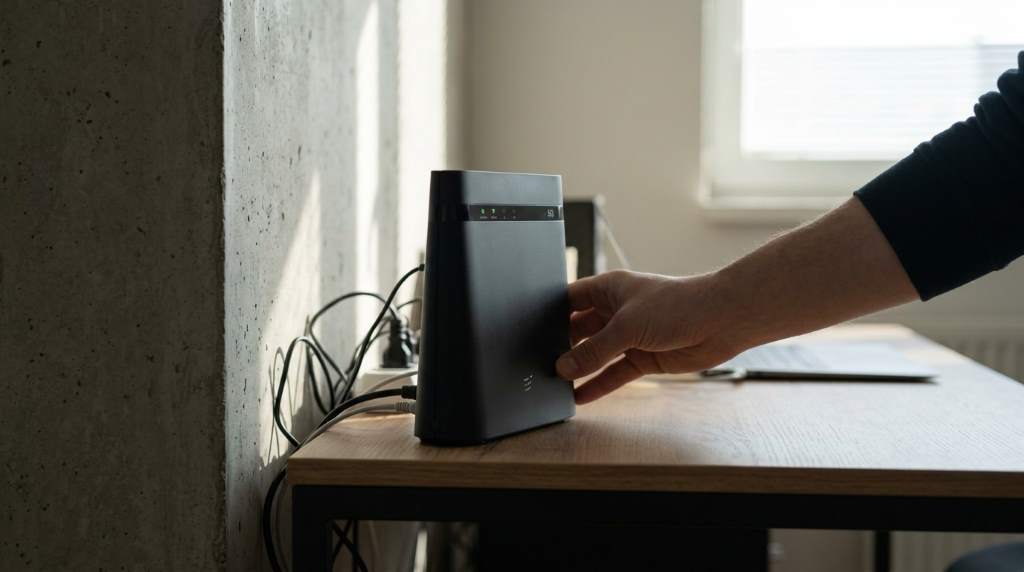
Cell tower congestion is one of the biggest culprits behind poor upload speeds on 5G networks. When too many users connect to the same tower during peak hours, available bandwidth shrinks for everyone on that sector. The farther you sit from a tower, the weaker your signal strength becomes, and a weak signal translates directly into lower upload throughput. Moving closer to a window or stepping outside can sometimes produce a noticeable improvement.
Frequency Band Limitations
5G operates across three spectrum bands: low-band, mid-band, and millimeter wave (mmWave). Low-band 5G covers wide areas but delivers modest speeds similar to advanced 4G LTE. Mid-band Sub-6 GHz hits the sweet spot of range and speed and is currently the most common 5G experience in the U.S. mmWave offers extraordinary speeds but only across very short distances in dense urban zones. Knowing which band your device connects to helps you set realistic expectations and troubleshoot more effectively.
How to Increase Upload Speed 5G Internet Connections Provide
Improving your 5G upload speed involves a combination of device settings, network choices, and physical positioning. None of these steps require technical expertise, and most take only a few minutes to implement. Working through them systematically will reveal which factors matter most in your specific environment. Let’s explore each one in detail.
1. Restart Your Device and Reset Network Settings
A simple restart clears cached network states that silently throttle performance over time. Power cycling forces your device to re-register with the nearest tower and negotiate a fresh connection. If a restart alone does not help, reset your network settings to eliminate corrupted APN configurations. Always back up Wi-Fi passwords before resetting network settings, as they will be erased.
2. Enable 5G Standalone Mode on Your Device
Most modern 5G smartphones default to a hybrid Non-Standalone (NSA) mode that anchors to 4G LTE for control signals. Switching to 5G Standalone (SA) mode removes that LTE dependency and allows your device to operate on a native 5G core network. The result is lower latency and often noticeably better upload throughput. You can find this option under Mobile Network settings on Android devices; iPhone users may need to check Cellular Data Options under Voice and Data.
3. Update Your Device Firmware and Carrier Settings
Outdated firmware can contain bugs that limit radio performance and upload scheduling. Carriers regularly push silent carrier settings updates that optimize how your device interacts with their 5G infrastructure. Always keep both your operating system and carrier settings current to benefit from the latest radio frequency optimizations. Check for carrier updates by navigating to Settings > General > About on iPhone or through your carrier’s companion app on Android.
4. Choose the Right 5G Band Manually
Some Android devices allow manual band selection through developer or engineering menus. If your device supports it, locking onto a mid-band 5G frequency such as n77 or n41 can dramatically improve upload consistency. These bands balance coverage and capacity far better than congested low-band n71 in suburban and urban areas. Be aware that manual band selection may reduce coverage when you move between zones, so use it primarily when you stay in one location.
5. Disable Background App Data Usage
Background apps consume upload bandwidth constantly by syncing data, sending analytics, and uploading backups without your knowledge. Disabling background data for non-essential apps frees up precious upload capacity for the tasks you actually care about. On both Android and iOS, you can restrict background data on a per-app basis within Mobile Data or Cellular settings. Cloud storage apps like Google Photos, iCloud, and OneDrive are among the heaviest background upload consumers.
6. Use a High-Quality 5G External Antenna or Signal Booster
If you use a 5G home router or hotspot, an external directional antenna can significantly boost your upload signal. Directional antennas focus the radio signal toward a specific cell tower, reducing interference and increasing effective signal gain. Products like the Parsec Husky and MIMO panel antennas are popular choices for rural and suburban 5G home internet users. Always aim your antenna toward the nearest strong tower using a signal mapping app like OpenSignal for best results.
7. Limit Upload-Heavy Applications During Critical Tasks
Streaming platforms, cloud backup tools, and video conferencing apps all compete for upload bandwidth simultaneously. Scheduling cloud backups for off-peak hours, typically between 2 a.m. and 6 a.m., reduces competition during your most important work hours. Many routers and hotspots now include Quality of Service (QoS) settings that let you prioritize specific apps or devices for upload traffic. Using QoS is one of the most effective ways to improve the perceived upload speed for critical applications like Zoom or Microsoft Teams.
8. Switch to a Less Congested Carrier
Carrier network quality varies significantly depending on your location in the U.S. T-Mobile currently leads in mid-band 5G coverage nationwide, while Verizon’s mmWave network dominates in dense city cores. AT&T has made significant investments in FirstNet spectrum that often translates into better upload reliability in rural zones. Running a comparison using the Speedtest app across multiple networks in your area will reveal which carrier truly delivers faster uploads at your specific location.
9. Optimize Your Upload Settings in Apps
Many applications offer internal quality or upload settings that are not always set optimally by default. Video uploading apps like YouTube Studio let you choose between standard and high-quality upload modes. File transfer tools such as WeTransfer and Google Drive allow you to pause competing transfers to prioritize a single upload. Taking control of these in-app settings gives you a meaningful performance edge without any carrier or hardware changes.
10. Contact Your Carrier About Network Throttling
Some carriers throttle upload speeds after you exceed a specific monthly data threshold, even on unlimited plans. Reviewing your plan details will confirm whether deprioritization or throttling policies apply to your account. If throttling is active, upgrading to a premium unlimited tier that guarantees higher priority during congestion can restore faster upload speeds immediately. Calling carrier support and explicitly asking about throttle thresholds is also worth the effort, as policies change frequently.
Advanced Tips to Maximize 5G Upload Performance
Beyond the standard fixes, a few advanced strategies can squeeze extra upload performance out of your 5G connection. These approaches suit power users, remote workers, and content creators who depend on fast, reliable uploads every day.
Use a VPN Strategically
Interestingly, some ISPs and carriers throttle specific types of upload traffic, particularly video streaming and large file transfers. A reputable VPN can sometimes bypass this selective throttling by encrypting your traffic so the carrier cannot identify and limit it. Choose a VPN with a fast protocol like WireGuard for minimal overhead on your upload speeds. Mullvad and ExpressVPN consistently rank among the fastest VPNs for mobile users in the U.S.
Monitor Upload Performance Over Time
Tracking your upload speeds at different times of day reveals patterns tied to tower congestion cycles. Free tools like Speedtest by Ookla, Fast.com, and the BSMI Speed Test app make it easy to log results over time. Once you identify the hours when upload speeds peak, you can schedule bandwidth-intensive tasks accordingly. This simple habit can make your workflow dramatically more efficient without changing any settings at all.
How to Increase Upload Speed 5G Internet Users Often Overlook
One of the most overlooked factors in 5G upload performance is device temperature. When smartphones overheat, the processor and radio modem throttle themselves to prevent hardware damage, which cuts upload speeds significantly. Removing your phone case during extended uploads, keeping your device out of direct sunlight, and avoiding charging while uploading all help maintain optimal thermal performance. A cool device consistently delivers faster and more stable upload throughput than a hot one.
Conclusion
Knowing how to increase upload speed 5G internet connections provide can transform your daily digital experience. From enabling 5G Standalone mode and updating carrier settings to managing background apps and choosing the right carrier, every step in this guide offers a tangible, measurable improvement. Start with the easiest fixes first, test your speeds after each change, and build toward the advanced optimizations that fit your specific setup. Take action today, apply even three or four of these strategies, and you will almost certainly see a faster, more reliable 5G upload experience right away.
Frequently Asked Questions
Why is my 5G upload speed slower than my download speed?
5G networks are designed asymmetrically, allocating more bandwidth to downloads than uploads because most users consume far more data than they send.
Does my phone case affect my 5G upload speed?
Yes, thick or metallic cases can weaken your antenna signal, which reduces both upload and download performance on 5G networks.
Will using a VPN improve my 5G upload speed?
A VPN can help if your carrier throttles specific upload traffic types, but it may slightly reduce speeds if the VPN server itself is slow or distant.
How many Mbps of upload speed do I need for smooth video streaming?
Most platforms recommend at least 10 Mbps upload for 1080p live streaming and 20 Mbps or more for stable 4K content creation.
Can switching between 5G bands really make a noticeable difference?
Absolutely; moving from a congested low-band 5G connection to a mid-band channel can double or even triple your upload speeds in the same location.

Leave a Reply