
You can generate stunning AI images in minutes using tools like Midjourney, DALL·E, or Leonardo AI. You just need a clear text prompt and the right platform. No design skills required.
AI image generators have changed fast over the past two years. What once needed hours in Photoshop now takes seconds. You type a sentence, and the tool builds a picture from scratch.
This guide walks you through the whole process. You’ll learn which tools to pick, how to write prompts that actually work, and how to avoid the mistakes beginners make.
What Is AI Image Generation and How Does It Work
AI image generation uses machine learning models trained on millions of images. The model learns patterns, styles, and objects. Then it creates new images based on your text description.
These tools are called text-to-image generators. You write a prompt like “a cozy cabin in the snow at sunset.” The AI turns that sentence into a picture. It doesn’t copy existing photos. It builds something new using patterns it learned during training.
Most modern tools use a method called diffusion. The AI starts with random noise. It slowly refines that noise into a clear image that matches your prompt. This happens in seconds on powerful servers.
Maximizing Everyday Business Impact
You no longer need a professional design background to produce high-caliber visuals. Across industries, modern marketers, enterprise team lead, and independent creators increasingly rely on generative tools to bypass costly stock image licensing and protracted design turnarounds. Mastering artful prompt design allows you to generate customized, campaign-ready media in seconds; translating these techniques into broader operational workflows such as learning integrate AI into your business to boost efficiency fundamentally elevates your overall strategic output while slashing production overhead.
Best AI Image Generator Tools to Try in 2025
The right tool depends on your goal. Some are free, some are paid, and some specialize in specific styles.
Midjourney
Midjourney produces highly artistic, polished images. It runs through Discord, so you’ll need a Discord account to use it. Many designers prefer it for its rich detail and creative style.
DALL·E (by OpenAI)
DALL·E is known for its accuracy with text prompts. It follows instructions closely and handles complex scenes well. It’s built into ChatGPT Plus, making it easy to access.
Leonardo AI
Leonardo AI offers a generous free tier and strong control over image style. It’s popular among game designers and content creators who need consistent visual styles.
Adobe Firefly
Firefly integrates directly with Photoshop and other Adobe tools. It’s a solid choice if you already work inside the Adobe ecosystem and want commercial-safe images.
Canva’s AI Image Generator
Canva added AI image generation right inside its design platform. This is useful if you already create social media graphics or presentations in Canva.
How to Generate an AI Image Step by Step
Here’s the exact process to create your first AI image, no matter which tool you choose.
Step 1: Choose Your Platform
Pick a tool based on your needs. Beginners often start with Canva or Leonardo AI because of their simple interfaces.
Step 2: Write a Clear Prompt
Describe the subject, setting, style, and mood. For example: “A golden retriever puppy playing in a field of sunflowers, warm lighting, photorealistic style.”
Step 3: Select Style and Settings
Most tools let you choose an art style, aspect ratio, and quality level. Adjust these based on where you’ll use the image.
Step 4: Generate and Review
Click generate. The tool usually creates 2-4 variations. Review each one and pick the closest match to your vision.
Step 5: Refine or Regenerate
If the result isn’t quite right, tweak your prompt and try again. Small wording changes can produce very different results.
Step 6: Download and Use
Once you’re happy with the image, download it in the format you need. Check the platform’s licensing terms before using it commercially.
How to Write Prompts That Actually Work
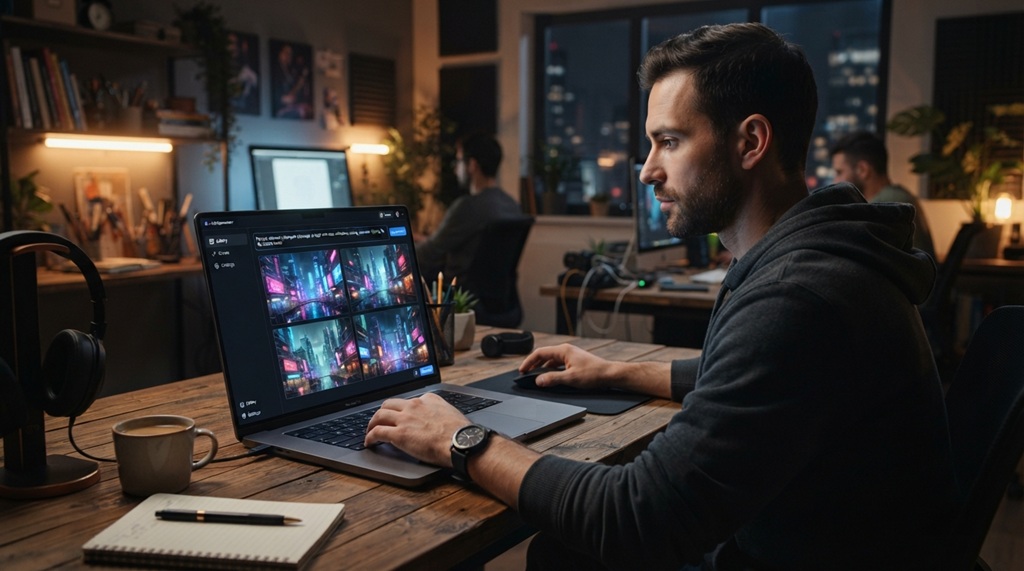
A good prompt is specific, not vague. Vague prompts produce generic results. Detailed prompts produce images closer to what you imagined.
Include These Four Elements
- Subject: What’s the main focus? (a woman, a mountain, a robot)
- Setting: Where is it happening? (in a forest, on a city street)
- Style: What visual style do you want? (photorealistic, watercolor, 3D render)
- Lighting or mood: What’s the atmosphere? (soft morning light, dramatic shadows)
Example Prompt Formula
“A [subject] in a [setting], [style], [lighting/mood].”
Example: “A vintage red bicycle leaning against a brick wall, oil painting style, soft afternoon light.”
A Tip Most Articles Skip
Try adding camera and lens language to your prompts, even for illustrated styles. Phrases like “shot on 35mm film” or “wide-angle lens” push the AI toward more natural composition and depth. This trick works surprisingly well even for non-photo styles like anime or watercolor, because the model still applies real-world framing rules.
Common Mistakes to Avoid When Creating AI Images
Most beginner mistakes come down to unclear prompts or ignoring platform limits. Here are the ones that trip people up most.
Being Too Vague
A prompt like “a nice picture of a city” gives the AI too much freedom. Add details about time of day, weather, and architecture style instead.
Overloading the Prompt
Cramming ten different ideas into one prompt confuses the model. Focus on 2-3 core details and let the AI fill in the rest.
Ignoring Licensing Rules
Not every platform allows commercial use of generated images by default. Always check the terms before using an image in ads, products, or client work.
Skipping Iteration
Your first result rarely matches your vision. Regenerating and adjusting your prompt is a normal part of the process, not a failure.
Free vs. Paid AI Image Generators: Which One Should You Use
Free tools work well for casual use, learning, or low-stakes projects. Paid tools make sense when you need higher resolution, faster generation, or commercial licensing.
Free options like Canva or Leonardo AI’s free tier are great starting points. They let you test prompts without financial commitment. Paid plans typically remove watermarks, unlock higher resolutions, and speed up generation times.
If you’re creating content professionally, a paid plan often pays for itself. It saves hours compared to searching stock photo sites or hiring a freelance designer.
FAQ
Is it legal to use AI-generated images commercially?
It depends on the platform and its terms of service. Many tools like Adobe Firefly and Canva offer commercial-safe licensing. Always check the specific platform’s rules before using images in paid projects.
Do I need design skills to create AI images?
No, you don’t need any design background. You just need to describe what you want in plain language. The AI handles the visual creation for you.
Which AI image generator is best for beginners?
Canva and Leonardo AI are the easiest starting points because of their simple, guided interfaces. Midjourney has a steeper learning curve since it runs through Discord.
Can AI image generators create realistic human faces?
Yes, many tools now produce highly realistic faces, though details like hands and text within images can still look off. Newer models continue to improve accuracy in these tricky areas.
How much does it cost to generate AI images?
Costs range from free to around $10-30 per month for premium plans, depending on the tool and usage level. Most platforms offer a free tier so you can test before committing.
Conclusion
Generating stunning AI images doesn’t require design skills or expensive software. Pick a tool that fits your needs, write a clear and detailed prompt, and refine your results as you go. Within minutes, you can turn a simple idea into a polished visual, ready for social media, blog posts, or creative projects.

Leave a Reply