

You future-proof your home audio system by focusing on three things: flexible connectivity (Wi-Fi 7 and Bluetooth LE Audio), modular hardware you can upgrade in pieces, and software-driven features like spatial audio. You don’t need to replace everything at once. A few smart choices now will save you from another costly overhaul in two years.
Home audio has changed faster than almost any other category in consumer tech. Five years ago, a good receiver and a solid pair of speakers lasted a decade. Now, firmware updates, new wireless standards, and AI-driven features can make a system feel outdated within a couple of years.
This guide breaks down exactly where the industry is heading and what to prioritize, so your setup keeps up without you needing to start over every product cycle.
Why Home Audio Systems Are Changing So Fast
Home audio is evolving quickly because connectivity, not just sound quality, has become the main differentiator between products. Industry trends for 2026 point to Wi-Fi overtaking Bluetooth as the default connection method for home audio devices, driven by demand for multi-room streaming and richer sound formats.
Manufacturers are also shifting focus. Speaker performance still matters, but “how well it connects” and “how easily it works with everything else” now carry equal weight. That’s why brands increasingly market their AI assistants, app ecosystems, and streaming integrations as heavily as their drivers and amplifiers.
For you, this means a future-proof system needs an audio component and a technology component. Both change, but at different speeds.
Upgrade Your Wireless Backbone First
Your Wi-Fi network is the real foundation of any modern audio setup, and it deserves attention before you buy a single speaker. Multi-room audio, hi-res streaming, and synced playback across devices all depend on a stable, low-latency connection.
Move Toward Wi-Fi 7 Where You Can
Wi-Fi 7 mesh systems reduce jitter and latency in homes running several audio devices at once. If multiple speakers trigger playback at the same time, a stronger mesh network prevents the lag and dropouts that plagued older Wi-Fi setups. You don’t need to replace your router immediately, but factor this into your next hardware refresh.
Understand Bluetooth LE Audio and Auracast
Bluetooth has changed just as much as Wi-Fi. Bluetooth LE Audio and the LC3 codec have become the new standard for portable and connected audio devices, and they roughly double battery life on portable speakers while cutting latency significantly. Auracast, a newer broadcast feature, lets one audio source stream to unlimited receivers at once. Picture a gym, a bar, or your own living room where a single TV feed sends audio to every set of headphones in the room without pairing each one individually.
If you’re buying speakers, headphones, or soundbars in the next year, check for LE Audio and Auracast support. It’s a small line item on a spec sheet that will matter a lot more by 2027.
Build with Modular Audio Systems Over Proprietary Lock-In
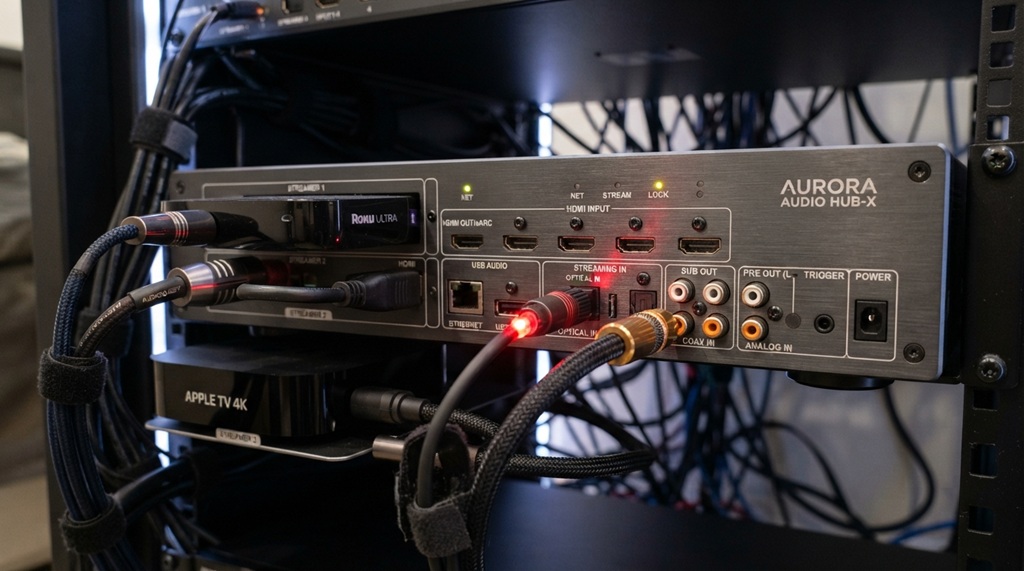
Opting for a modular speaker setup safeguards your investment by allowing you to seamlessly upgrade, add, or replace individual components as technology evolves, rather than scrapping an entire system when a single part becomes obsolete. Prioritizing equipment that natively supports open streaming protocols like AirPlay and Spotify Connect ensures long-term versatility across hardware generations, whereas committing exclusively to a brand’s closed, proprietary ecosystem leaves your audio network vulnerable to sudden product discontinuations or sudden shifts in software support. Building an adaptable, multi-room wireless architecture allows you to scale high-fidelity sound throughout your space over time though expanded network connectivity naturally increases your digital surface area. Because smart hubs and streaming bridges rely heavily on your local Wi-Fi, securing your wireless infrastructure is a critical prerequisite; take time to check your devices for cybersecurity vulnerabilities before integrating new connected components into your audio ecosystem.
What “Modular” Actually Looks Like in Practice
- Speakers that connect via multiple protocols (Wi-Fi, Bluetooth, and a wired option)
- Multi-room systems that support third-party streaming services, not just one app
- Amplifiers or receivers with replaceable modules for future format updates
- Soundbars that work as standalone units but also expand with add-on rear or bass speakers
This flexibility costs a little more upfront, but it protects you from the sunk cost of an entire ecosystem going stale.
Prioritize Spatial Audio Support, Even If You’re Not Ready to Use It Yet
Spatial audio has moved from a premium feature to something buyers expect by default in 2026. Formats like Dolby Atmos distribute sound across multiple directions instead of just left and right channels, creating a more immersive listening experience for movies, games, and increasingly, music.
Here’s the practical insight most guides skip: you don’t need a full Atmos speaker array to benefit from this shift. Many current soundbars and AV receivers now decode spatial formats and simulate height channels through clever signal processing, even without physical upward-firing speakers. When you’re shopping, look specifically for spatial audio decoding support in the spec sheet, even on mid-range products. It’s a feature you’ll grow into, not one you need to max out immediately.
If you do want physical height channels down the line, confirm the amplifier or receiver has spare channels or expansion ports before you commit to a compact all-in-one soundbar. Retrofitting height speakers onto a sealed system later is often impossible.
Think About AI and Voice Integration Honestly
AI-driven voice assistants have become genuinely useful for controlling audio, not just a novelty feature bolted onto a smart speaker. Newer voice systems can interpret more nuanced requests, adjusting playback based on context like time of day or activity, rather than requiring exact commands.
That said, don’t buy a system based on AI features alone. Voice assistant software updates over the air, meaning today’s more basic assistant often becomes noticeably smarter through a firmware update, without any new hardware. What actually matters when future-proofing is whether the hardware has enough processing power and memory to handle those future updates gracefully. A stripped-down budget speaker might not receive the same feature rollouts as a mid-tier model with more onboard capability.
A useful habit: before buying, check the manufacturer’s update history for that product line. Companies with a track record of multi-year software support are a safer long-term bet than ones that abandon last year’s model the moment a new one launches.
Don’t Ignore Physical Placement and Room Acoustics
No amount of new technology fixes a poorly placed speaker. Room acoustics still shape sound quality more than almost any single hardware upgrade, and this is the one part of future-proofing that costs nothing but time.
A few adjustments that consistently make a real difference:
- Keep speakers away from corners, where bass tends to build up unevenly
- Add soft furnishings like rugs and curtains to reduce harsh echo in larger rooms
- Position front speakers at ear height when seated, rather than mounting them high on a wall
- Leave a little space between speakers and walls behind them for airflow and sound dispersion
Interestingly, some emerging home audio products are even shifting toward architectural materials like wood and concrete in their cabinet design to improve natural acoustic clarity, rather than relying purely on internal components. It’s a reminder that good sound is still partly a physical, not just digital, problem.
Build in Upgrade Paths, Not Just Upgrades
The most overlooked part of future-proofing is asking what happens after this purchase, not just what the product does today. Before buying any major component, check whether it has expansion ports, additional channels, or companion accessories planned for release.
A receiver with two spare speaker channels costs a little more now but saves you from buying an entirely new unit when you add a subwoofer or rear speakers later. A soundbar system with a modular subwoofer you can add separately beats an all-in-one unit that can never be expanded.
This mindset shift, buying for the system you’ll have in three years rather than just the one you want today, is the single biggest lever for actually future-proofing your setup.
Frequently Asked Questions
Do I need to replace my entire audio system to future-proof it for 2026?
No. Most systems can stay relevant by upgrading the weakest link first, usually the router or wireless standard rather than the speakers themselves. Focus on Wi-Fi 7 readiness and Bluetooth LE Audio support before replacing hardware that still sounds good.
Is Wi-Fi audio actually better than Bluetooth now?
For multi-room and hi-res streaming, yes, Wi-Fi generally offers more stability and higher bandwidth than Bluetooth. Bluetooth has closed the gap significantly with LE Audio, though, and remains better for portable, battery-powered devices where Wi-Fi drains power faster.
What’s the difference between Dolby Atmos and regular surround sound?
Regular surround sound places audio in a horizontal plane around the listener, using left, right, and rear channels. Dolby Atmos adds height and directional precision, placing individual sounds anywhere in a 3D space, including overhead, for a more immersive effect.
Will older speakers work with newer audio formats?
It depends on the hardware, not just software. Older speakers can sometimes receive new streaming or connectivity features through firmware updates, but they generally can’t decode entirely new physical formats like spatial audio without the right internal processing built in.
How much should I budget for a future-proof upgrade?
There’s no fixed number, since it depends heavily on your existing setup. A more useful approach is to prioritize the router and wireless standard first, since that’s usually the cheapest fix with the biggest long-term payoff, then upgrade speakers and receivers as your budget allows.
Final Thoughts
Future-proofing your home audio system for 2026 isn’t about chasing every new format the moment it launches. It’s about making a few deliberate choices, prioritizing flexible connectivity, modular hardware, and software that keeps improving, so your system ages gracefully instead of becoming obsolete overnight.
Start with your network. Move to modular, standards-based hardware next. Treat spatial audio and AI features as bonuses you grow into, not boxes you need to check on day one. Do that, and your setup should comfortably outlast this current wave of upgrades.

Leave a Reply