

You can build a working chatbot without writing a single line of code. Just use a no-code chatbot builder. Most beginners get one live and testable within an hour.These platforms do the technical work for you. They handle hosting, language processing, and integrations. You use a drag-and-drop editor, pick templates, and connect simple visual steps.
A few years ago, only developers could build chatbots. That’s no longer true. This guide shows you how to plan, build, test, and launch your first chatbot. It also covers common mistakes and tools worth trying.
Why No-Code Chatbots Have Become So Popular
No-code chatbots let small businesses and solo creators automate customer conversations. You don’t need to hire a developer. This matters because response speed is a big part of customer satisfaction. A bot answers instantly, 24/7, even while your team sleeps.
The Business Case for a Simple Chatbot
A chatbot doesn’t need to be complex to help. Even a basic bot can answer FAQs, collect leads, or point customers to the right page. It can save hours of repetitive replies each week. That frees up your time for tasks that need a real person.
Who Should (and Shouldn’t) Build One
No-code chatbots work best for simple tasks. Think FAQs, lead capture, appointment booking, or basic decision trees. If you need complex logic or deep database integrations, you may outgrow a no-code tool eventually. But most beginners won’t hit that wall for a long time.
What You Need Before You Start Building
Before you open any chatbot builder, gather three things. You need a clear goal, a list of common questions, and the platform where the bot will live (website, Messenger, WhatsApp, etc.). Skipping this step is the top reason first bots end up confusing and unfocused.
Crafting a Focused Purpose for Your Bot
The single biggest mistake beginner creators make is attempting to build a chatbot that handles every task at once. To ensure high conversion and seamless user experience, define one primary job for your bot whether that is instantly resolving customer support tickets or qualifying prospective sales leads. A sharply focused chatbot delivers significantly higher accuracy, higher completion rates, and a streamlined setup process. Once your primary messaging logic is operational, elevating the visual experience becomes your next priority; integrating custom brand assets and tailored response media makes every interaction feel remarkably authentic generate stunning AI images like a pro to create polished avatars and dynamic media assets that set your conversational interface apart.
Write Down Your Most-Asked Questions
Make a list of the 10-15 questions people ask you most. These questions become the backbone of your bot’s conversation. Use them whether you start from a template or build from scratch.
Step-by-Step: Building Your First Chatbot
Building a no-code chatbot takes five steps. Choose a platform, pick a template, customize the flow, connect your channel, and test it before launch.
Step 1: Choose a No-Code Chatbot Platform
Pick a platform based on where your audience already spends time. Use a website widget tool if most of your traffic comes from your site. Use a Messenger or WhatsApp tool if your audience lives on social apps. Most platforms offer a free tier, so test two or three before you commit.
Step 2: Start From a Template, Not a Blank Canvas
Most chatbot builders offer templates for common goals. You’ll find templates for FAQs, lead generation, and appointment booking. Starting from a template saves time. You edit an existing structure instead of building logic from scratch.
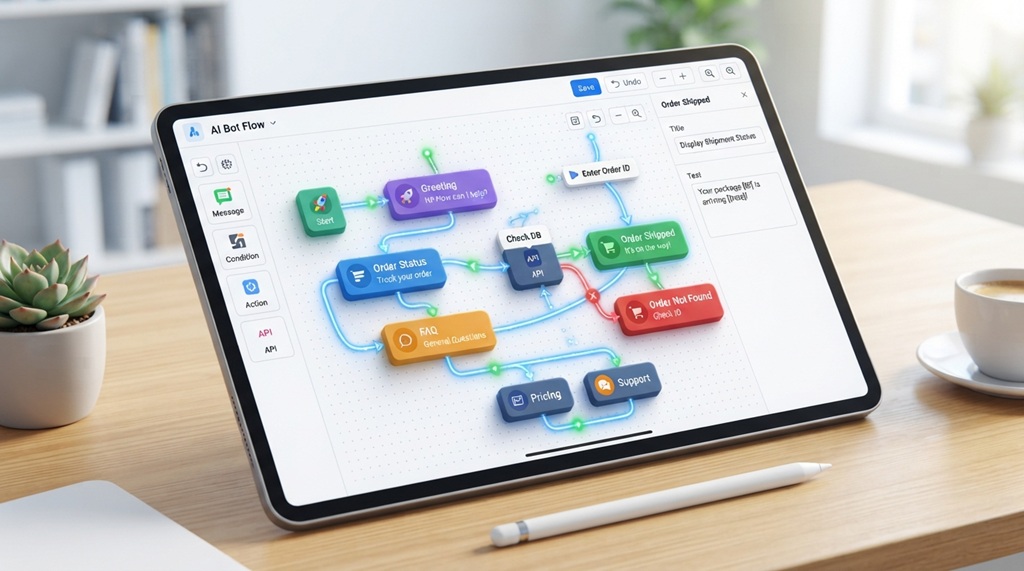
Step 3: Build the Conversation Flow Visually
Most platforms use a flowchart-style editor. You connect message bubbles, buttons, and conditions by dragging and linking them. Add your questions here. Set up simple logic, like “if the user clicks this, show that.” No code needed you just connect boxes on a screen.
Step 4: Connect the Bot to Your Website or Messaging App
Once your flow is ready, the platform generates an embed code. This is a small snippet you paste into your website. Or it offers a one-click connection for apps like Instagram or WhatsApp. You don’t need to understand the code. You just copy and paste it where the platform tells you.
Step 5: Test Every Path Before Going Live
Click through every button and answer as if you were a real visitor. Check that each path leads somewhere useful. Beginners often rush this step. But it’s the one most likely to catch a broken link or dead end before a real customer does.
A Genuinely Useful Tip Most Guides Skip: Design for the “I Don’t Know” Moments
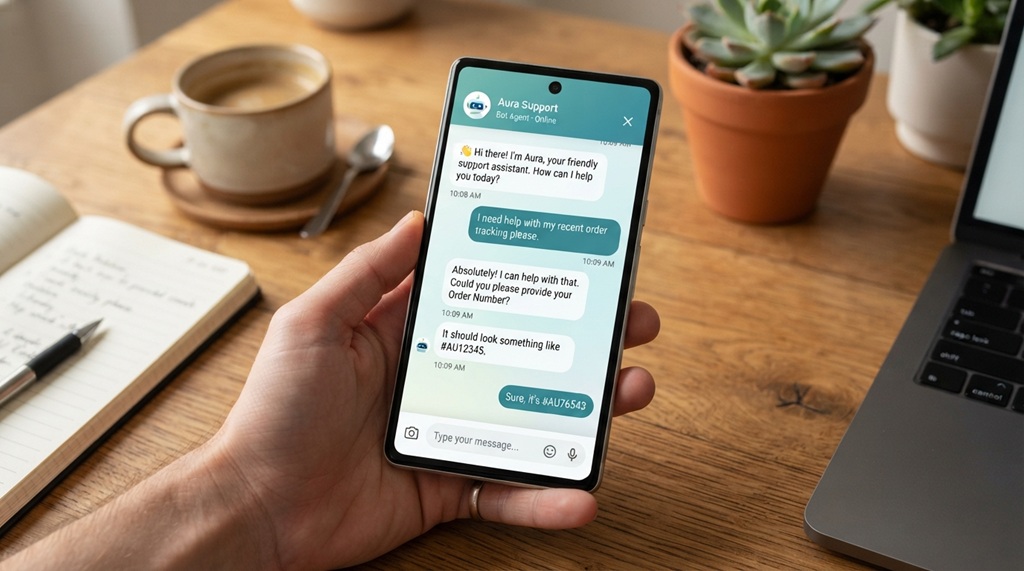
Most tutorials focus on the happy path. The user asks an expected question and gets the perfect answer. But the real test of a good chatbot is what happens when someone asks something unexpected.
Build in a fallback response early. Something like: “I’m not sure about that one here’s how to reach a real person,” with a direct contact link. This one addition builds more trust than almost any other tweak. It stops the bot from looping in confusion, which is the fastest way to lose a visitor.
Common Mistakes to Avoid When Building Your First Bot
Beginners tend to make three mistakes most often. They overcomplicate the flow, skip testing, and forget to offer a way to reach a human.
Overloading the Bot With Too Many Options
A bot with 15 button choices at every step overwhelms users. Keep each step to 2-4 clear options. Let the conversation branch naturally instead of showing every path on one screen.
Forgetting a Human Handoff
Even a well-designed bot will hit questions it can’t answer. Always include a clear path to email, live chat, or a contact form. Don’t leave frustrated users stuck talking to a wall.
Not Updating the Bot After Launch
A chatbot isn’t “set and forget.” Review your chat logs regularly. Look for where users get stuck or ask unexpected questions. Industry experts consider this one of the most effective ways to keep a simple bot useful over time.
Popular No-Code Chatbot Tools Worth Trying
Several no-code platforms stand out for beginners. Tidio, ManyChat, Landbot, and Chatfuel all offer visual builders and free starter plans.
Best for Website FAQ Bots
Many people use Tidio and Landbot for website FAQ and lead-capture bots. Both offer drag-and-drop flow builders and easy website embedding.
Best for Social and Messaging Apps
ManyChat and Chatfuel work well for Instagram, Facebook Messenger, and WhatsApp bots. They focus on marketing and engagement flows rather than website widgets.
Pricing and features change often. Check each platform’s current plans directly before you choose one.
Frequently Asked Questions
Do I need any technical skills at all to build a chatbot?
No. No-code chatbot builders use visual drag-and-drop editors instead of programming. You mostly need basic computer skills, like copying and pasting an embed code.
How long does it take to build a simple chatbot?
You can set up a basic FAQ or lead-capture bot from a template in under an hour. More complex flows with multiple branches may take a few hours across a day or two of testing.
Are no-code chatbots free to use?
Most platforms offer a free plan with basic features. Limits on conversation volume, integrations, or branding removal usually require a paid upgrade. Test the free tier first to see if it fits your needs.
Can a no-code chatbot use AI, or is it just scripted responses?
Many modern no-code platforms now include AI features, like natural language understanding, alongside button-based flows. Beginners can start with simple scripted flows and add AI responses later.
What’s the biggest reason beginner chatbots fail?
Most beginners skip the planning stage. They build without a clear goal or a fallback for unexpected questions. A bot with too many options or no way to reach a human tends to frustrate users instead of helping them.
Conclusion
Building a simple chatbot without coding comes down to five steps. Pick a platform, start from a template, build your flow visually, connect it to your channel, and test every path before launch. The tools have gotten simple enough that the real work isn’t technical. It’s planning a focused conversation and preparing for the moments the bot doesn’t have an answer.
Start small with one clear goal. Expand the bot’s abilities as you learn what your users actually ask.

Leave a Reply