

Hidden smart trackers collect your data in ways you rarely notice. They hide inside apps, smart devices, browsers, and even public Wi-Fi networks. You can protect your digital privacy by adjusting device settings, using privacy tools, and building a few daily habits that block tracking at the source.
Most people assume tracking only happens through cookies on websites. That assumption is outdated. Today’s trackers use Bluetooth signals, device fingerprints, and smart home sensors to build a detailed picture of your life. They do this quietly, often without a clear notification.
This guide breaks down exactly how these trackers operate and gives you practical, tested steps to shut them down. You do not need to be a tech expert. You just need the right settings and the right tools.
What Are Hidden Smart Trackers, and Why Are They Everywhere?
Hidden smart trackers are tools that collect data about your location, habits, or device activity without asking for clear, ongoing permission. They exist because your data has real financial value to advertisers, data brokers, and even some app developers.
These trackers show up in more places than most people expect:
- Retail stores use Bluetooth beacons to track shopper movement.
- Smart TVs log what you watch, even from connected devices.
- Fitness apps often share location data with third parties.
- Smart speakers sometimes send audio snippets for “quality improvement.”
According to industry experts, the average smartphone contains dozens of embedded trackers across its apps. Many users never open the privacy settings that control them. This gap between what exists and what people notice is exactly why hidden trackers work so well.
How Hidden Trackers Secretly Siphon Your Data
Hidden trackers operate covertly through background processes that rarely trigger explicit user alerts, constantly harvesting location logs, device telemetry, and behavioral metrics in real time. Safeguarding your digital footprint requires proactive measures, such as auditing background location permissions, leveraging dedicated signal-detection applications, and regularly inspecting all connected Bluetooth hardware. Furthermore, masteringevaluate new gadget tech before you buy ensures you identify potential privacy vulnerabilities and tracking risks long before introducing any new device to your home network.
Bluetooth and Wi-Fi Beacons
Bluetooth and Wi-Fi beacons detect nearby devices even when you are not connected to a network. Stores, airports, and offices install these beacons to map foot traffic and personalize offers.
Your phone broadcasts a signal simply by having Bluetooth or Wi-Fi turned on. That signal alone can identify your device and, over time, your regular routines. Turning off these features when you leave home cuts off a major tracking channel.
Browser Fingerprinting
Browser fingerprinting builds a unique profile of your device using details like screen size, installed fonts, and browser version. Unlike cookies, you cannot simply delete a fingerprint. It rebuilds itself from your device’s own characteristics.
This method lets advertisers follow you across websites even in private or incognito mode. Fingerprinting has become more common precisely because many users now block regular cookies.
Smart Home and IoT Devices
Smart home devices, from thermostats to doorbell cameras, constantly send data back to their manufacturers. This data often includes usage patterns, voice recordings, or even video footage.
Many of these devices ship with default settings that favor data collection over privacy. Reviewing each device’s app settings individually usually reveals options you never knew existed.
Signs Your Devices Might Be Tracking You More Than You Realize
Certain patterns strongly suggest that hidden trackers are active on your devices. Watching for these signs helps you catch problems before they escalate.
Notice these common indicators:
- Ads that reference a conversation you had near your phone, not typed into it.
- A sudden battery drain with no new apps installed.
- Location-based ads for stores you visited but never searched online.
- Smart home apps requesting permissions unrelated to their core function.
- Unexplained data usage spikes shown in your phone’s settings.
None of these signs confirm tracking on their own. Together, though, they form a pattern worth investigating with the tools covered later in this guide.
Step-by-Step Ways to Block Hidden Trackers
Blocking hidden trackers takes a mix of settings changes, smarter app choices, and periodic audits. These steps work together, so try to complete all of them rather than picking just one.
Secure Your Phone Settings
Start with your phone, since it holds the most sensitive data. Open your privacy settings and turn off location access for any app that does not need it constantly. Disable ad personalization in both iOS and Android settings, since this single toggle limits a large share of cross-app tracking.
Turn off Bluetooth and Wi-Fi when you leave the house, rather than leaving them on by default. This simple habit blocks the beacon tracking discussed earlier.
Use Privacy-Focused Browsers and Extensions
Switch to a browser built around privacy, such as Brave or Firefox with strict tracking protection enabled. Add a reputable tracker-blocking extension to catch scripts that slip past built-in protections.
Clear cookies regularly and consider using a separate browser profile for sensitive activities like banking. This separation limits how much any single tracker can learn about your full online behavior.
Audit Your Smart Home Devices
Go through each smart home device’s app once every few months and review its permissions. Disable microphone or camera access for any device that does not need it to function.
Check whether the manufacturer offers a local-only mode that avoids sending data to the cloud entirely. This option exists more often than most users realize, especially on newer devices.
Tools and Apps That Help You Detect and Block Trackers
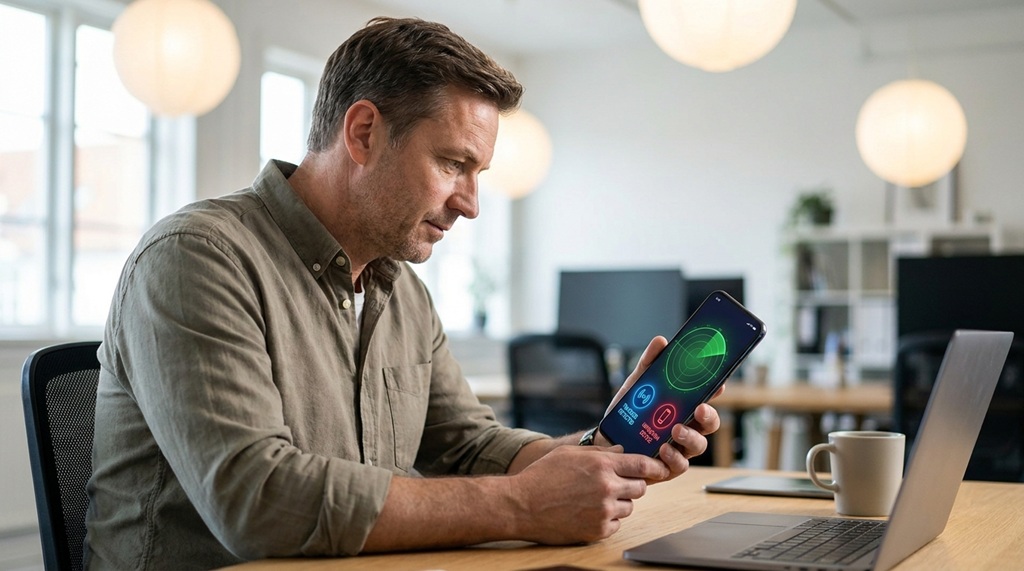
Several tools can reveal tracking activity that stays invisible during normal device use. Using even one or two of these regularly gives you far more visibility into what is happening behind the scenes.
- Network scanners show every device connected to your home Wi-Fi, which helps spot unfamiliar smart devices.
- VPN services hide your IP address and encrypt traffic, making location-based tracking much harder.
- Privacy dashboards, built into iOS and Android, list exactly which apps accessed your camera, microphone, or location recently.
- Bluetooth tracker detectors identify unknown Bluetooth beacons or AirTag-style devices near you.
- Data broker removal services request that companies delete your personal information from their databases.
Pairing a network scanner with your phone’s built-in privacy dashboard gives you a genuinely useful starting point. Most guides mention VPNs and browser extensions, but few point out that reviewing your router’s connected-device list catches hidden smart trackers that live entirely outside your phone or laptop.
Common Mistakes People Make When Trying to Protect Their Privacy
Even privacy-conscious users often make mistakes that undo their efforts. Recognizing these mistakes helps you avoid wasting time on changes that do not actually work.
- Relying only on incognito mode. This mode hides browsing history locally but does nothing to stop fingerprinting or network-level tracking.
- Ignoring app permission updates. Apps sometimes request new permissions after updates, and users approve them without reading the request.
- Skipping router security. An unsecured router lets attackers or unwanted devices join your network unnoticed.
- Assuming one tool solves everything. A VPN, for example, protects your traffic but does nothing to stop a fingerprinting script on a website you visit.
Privacy protection works best as a layered system. No single setting, app, or tool covers every tracking method on its own.
Frequently Asked Questions
Can hidden smart trackers work even if I turn off location services?
Yes, they can. Trackers often use Wi-Fi and Bluetooth signals, browser fingerprints, or IP addresses to estimate your location instead of relying on GPS alone. Turning off location services helps, but you also need to disable Bluetooth and Wi-Fi when they are not in use.
Do privacy screen protectors or phone cases block tracking?
No, these physical accessories only prevent visual snooping or protect the device from damage. Tracking happens through software and wireless signals, so it requires software-based solutions like permission controls and privacy tools.
Is deleting cookies enough to stop tracking?
Deleting cookies helps with basic ad tracking but does not stop browser fingerprinting or app-based tracking. You need a combination of a privacy-focused browser, tracker-blocking extensions, and careful app permission management for real protection.
How often should I check my smart home device permissions?
Checking permissions every two to three months works well for most households. You should also review them immediately after any major app or firmware update, since updates sometimes reset privacy settings to their defaults.
Are free VPNs safe to use for privacy protection?
Many free VPNs make money by logging and selling user data, which defeats the purpose of using one. Choosing a paid VPN with a clear, independently audited no-logs policy offers far better protection for your privacy.
Conclusion
Hidden smart trackers operate through Bluetooth signals, browser fingerprints, smart home devices, and background app processes. You cannot eliminate every tracker completely, but you can dramatically reduce your exposure. Start with your phone settings, add a privacy-focused browser, and audit your smart home devices on a regular schedule.
Treat privacy protection as an ongoing habit rather than a one-time fix. Small, consistent actions, like turning off Bluetooth when you leave home or reviewing app permissions after updates, add up to meaningfully stronger digital privacy over time.

Leave a Reply