
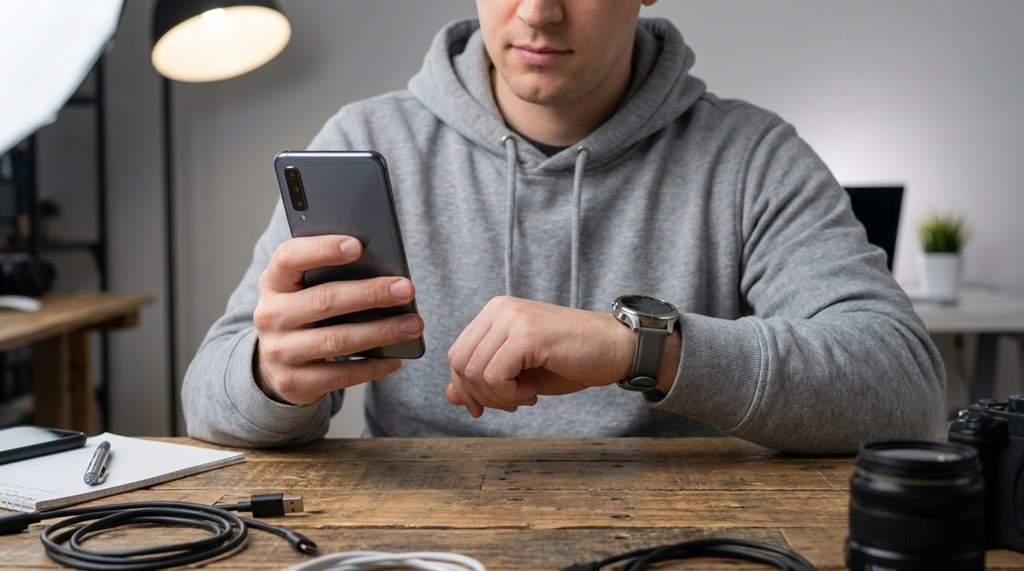
New gadgets flood the market every week, and most of them don’t deserve your money. To evaluate new gadget tech properly, check five things first: real-world reviews, actual specs versus marketing claims, software support, return policy, and whether the gadget solves a problem you actually have.
Flashy launch videos sell excitement, not accuracy. A product can look revolutionary on stage and still flop once real users get their hands on it. That gap between hype and reality is exactly where smart buyers save money and avoid regret.
This guide breaks down a clear process. You’ll learn what to check before you click “buy,” which red flags to watch for, and how to tell genuine innovation from repackaged marketing.
Why Most Gadget Hype Doesn’t Match Reality
Marketing teams build hype to drive early sales, not to give you an honest picture. Companies want strong launch-week numbers because those numbers attract press coverage and investor attention.
This creates a pattern. Brands highlight best-case scenarios and hide weaknesses. A phone’s camera might look stunning in a controlled demo, but perform poorly in normal lighting. A “revolutionary” battery might last twice as long but only in lab conditions no real user will replicate.
According to industry experts, review embargoes play a role here too. Companies often send devices to select reviewers with strict rules about what they can say and when. This delays independent, critical feedback until well after preorders open.
Marketing Language to Watch For
Certain phrases signal hype rather than substance:
- “Revolutionary” or “game-changing” without a specific explanation of what changed
- “Up to” claims on battery life, speed, or storage (the fine print usually tells the real story)
- Comparisons only against the company’s own older products, never against competitors
- Vague performance boosts like “30% faster” without stating faster at what, or compared to what
Checking Real-World Reviews Instead of Press Releases
Press releases describe what a company wants you to believe. Real-world reviews describe what actually happens after weeks of daily use.
Search for reviews published at least two to three weeks after launch. Early reviews often come from short loaner periods, so they miss long-term issues like battery degradation, software bugs, or build quality problems that surface later.
Where to Find Trustworthy Reviews
Look beyond the first page of search results, since sponsored content often ranks highest.
- YouTube long-term reviews: Search for “[product name] one month later” or “[product name] long term review”
- Reddit and forums: Real owners discuss problems that professional reviewers may not catch or mention
- Retailer reviews with verified purchases: Filter by lowest rating first to spot recurring complaints
- Independent tech publications: Sites with clear, published testing methodologies tend to offer more reliable comparisons than outlets that simply repeat press materials
Pay close attention to complaints that repeat across multiple sources. One person’s bad experience might be a fluke. Ten people reporting the same overheating issue is a pattern worth taking seriously.
Matching Specs to Real-World Needs
A longer spec sheet does not inherently make a device superior; it simply offers more features, many of which may prove entirely irrelevant to your daily workflow. To evaluate new gadget tech effectively, define the three primary tasks you perform most frequently before making any side-by-side comparisons, then focus exclusively on the hardware attributes that support those demands. While a competitive gamer undeniably requires a high refresh rate and a top-tier processor, a student will gain far more utility from all-day battery life and seamless portability. Purchasing hardware based solely on arbitrary top-tier benchmark charts often leads to overpaying for performance overhead you will never tap into—and if your evaluation includes smart home tech, remember that hardware performance depends heavily on your foundation, so ensure you learn upgrade home network maximum speed to prevent network bottlenecks before adding new devices.
The Question That Cuts Through Spec Confusion
Ask yourself: “Will I actually notice the difference in daily use?” Many upgrades sound impressive on paper but produce no noticeable improvement in real-world use.
For example, jumping from 8GB to 12GB of RAM might matter for heavy multitasking. But jumping from a 90Hz to a 120Hz screen refresh rate matters far less if you mostly read text and browse the web. Match the upgrade to your actual habits, not to the number itself.
Checking Software Support and Update History
A gadget is only as good as the software behind it, and software support often gets ignored during the buying decision. Hardware might work fine for years, but outdated or abandoned software makes even great hardware frustrating or unsafe to use.
Check how long the manufacturer commits to software updates. Some brands promise several years of security patches and feature updates. Others offer support for a much shorter window, then leave the device to fall behind.
Search for the company’s track record with previous products in the same line. A brand that consistently drops support early is likely to do the same with its newest release, regardless of what they promise at launch.
Signs of Weak Software Support
- No published update policy or support timeline anywhere on the product page
- A history of slow, inconsistent updates in past product generations
- Discontinued apps or companion software need for the gadget to function properly
- Community complaints on forums about bugs left unfixed for months
Testing Before You Commit (Even When You Can’t Try It In Store)
Physical testing gives you information no review can fully replace, but many gadgets aren’t sold in physical stores anymore. This makes evaluation trickier, though not impossible.
If a store carries the product, visit and handle it. Check the weight, the button placement, and how it feels during a few minutes of actual use. Screen brightness, sound quality, and build materials come across very differently in person compared to a review video.
If you can’t test in person, lean on the return policy instead. This is a genuinely useful angle that gets overlooked: treat the return window as your testing period. Order the gadget, use it exactly the way you plan to use it daily for the first week, and evaluate honestly. Keep the original packaging until you’re certain you’ll keep the device.
Questions to Ask Before Ordering Online
- What is the exact return window, and does it start from delivery or purchase date?
- Does the retailer charge a restocking fee for returns?
- Who pays for return shipping if you decide to send it back?
- Does the warranty cover manufacturing defects separately from the standard return policy?
Setting a Realistic Budget Before You Shop

Gadget prices swing wildly around launch periods, and buying at the wrong time costs you real money. New releases almost always drop in price within three to six months, once early hype fades and competitors respond.
Decide your maximum budget before you start browsing. This prevents impulse upgrades to a pricier model once you’re already in the checkout flow. Retailers design upsell prompts specifically to catch you at that decision point.
Track price history when possible. Several browser tools and price-tracking sites show how a product’s cost has changed over recent months. A device that seems like a “limited deal” today might have sold for less just a few weeks earlier.
Frequently Asked Questions
How long should I wait after a gadget launches before buying it?
Waiting two to four weeks lets independent reviewers publish honest, long-term feedback. This also gives manufacturers time to release early bug-fix updates, so you avoid launch-day software problems.
What’s the biggest red flag when evaluating new tech?
A lack of independent reviews is the biggest warning sign. If only the company’s own marketing describes the product’s performance, treat every claim with real skepticism until outside sources confirm it.
Should I trust tech reviewers who received the product for free?
Free review units are standard practice and don’t automatically mean bias. Look for reviewers who disclose this openly and who have a track record of criticizing products when they deserve it.
Is it worth buying the newest version of a gadget I already own?
Only if the new version solves a specific problem with your current one. Compare the actual changes against your daily use, not against the marketing headline announcing the upgrade.
How do I know if a gadget’s price will drop soon?
Check price-tracking tools and look at the release pattern of similar past products from the same brand. Most gadgets drop in price within three to six months of launch, especially once a newer model gets announced.
Conclusion
Evaluating new gadget tech comes down to patience and a clear process. Skip the launch-day hype, wait for real-world reviews, match specs to your actual needs, and check software support before you commit any money.
Use the return window as a real testing period when in-store testing isn’t an option. Set your budget ahead of time so upsell prompts don’t catch you off guard. A few extra days of research can save you from a purchase you’ll regret and help you spot the gadgets genuinely worth your money.

Leave a Reply